
Is Stake Safe or Not? – Games, App, Withdrawals & Reviews
As a well-established betting site in India, what games does Stake offer? How can you download the app? What are the deposit and withdrawal methods? This article covers it all—plus recent reviews!
About Stake India
Stake Casino was launched in 2017 by Ed Craven and Bijan Tehrani. The platform primarily supports cryptocurrency for deposits and withdrawals, offering a secure way to play. Offering both sports betting and a variety of new games, it has attracted a growing number of young players.
Stake Popular Games
- Sports: Cricket, Football, Basketball, Tennis, Horse Racing, etc.
- Live Casino: Roulette, Blackjack, etc.
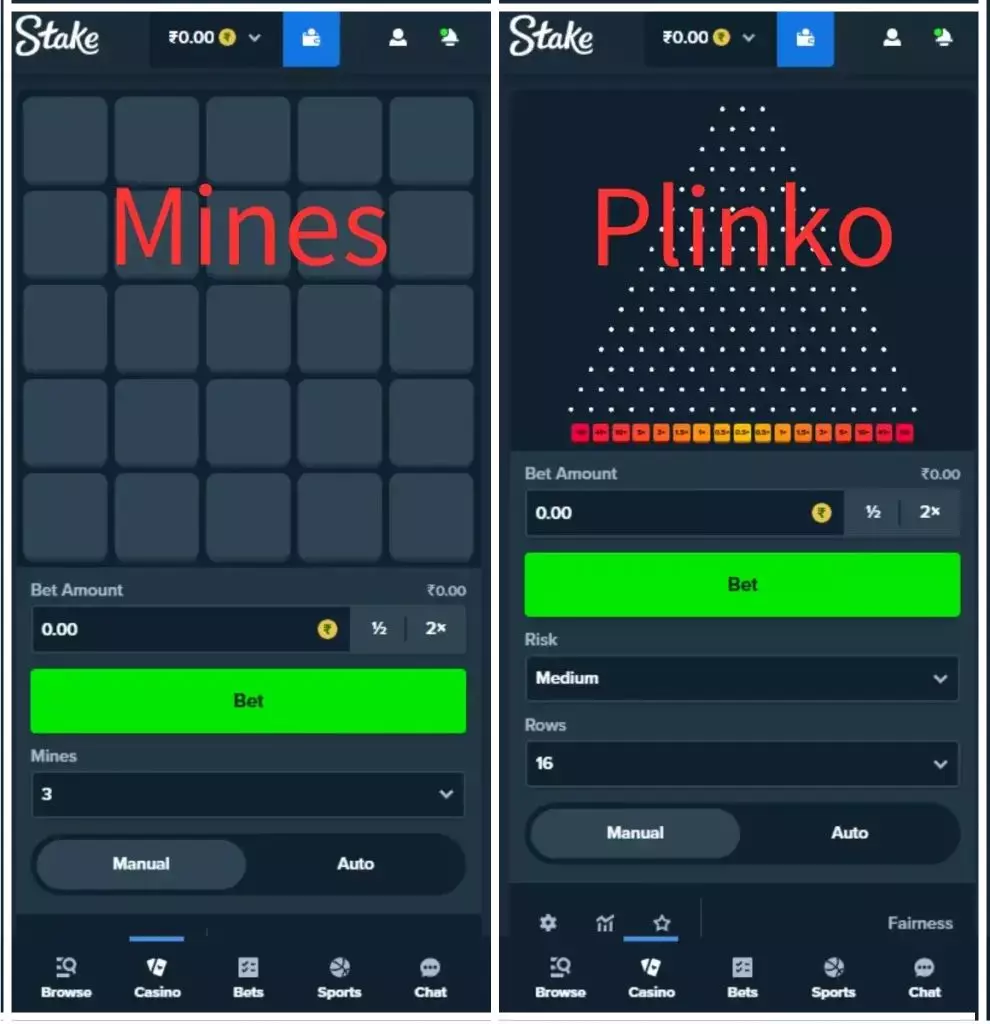
- Innovative Games: Dice, Mines, Plinko, etc.
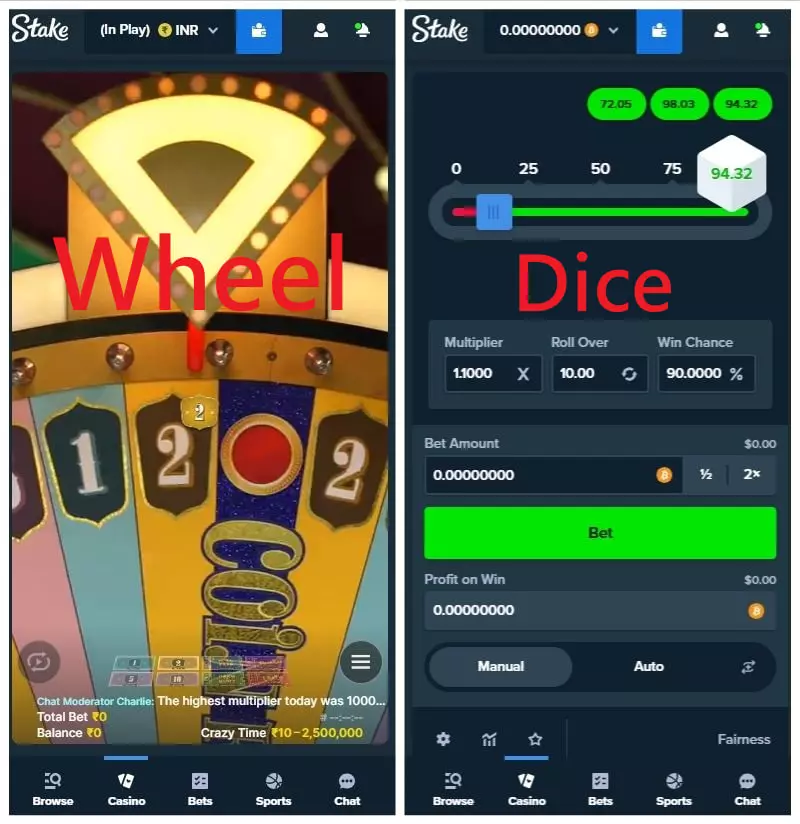
Read More: Crazy Time Ka King Banna Hai? Easy Guide + 3 Pro Strategy!
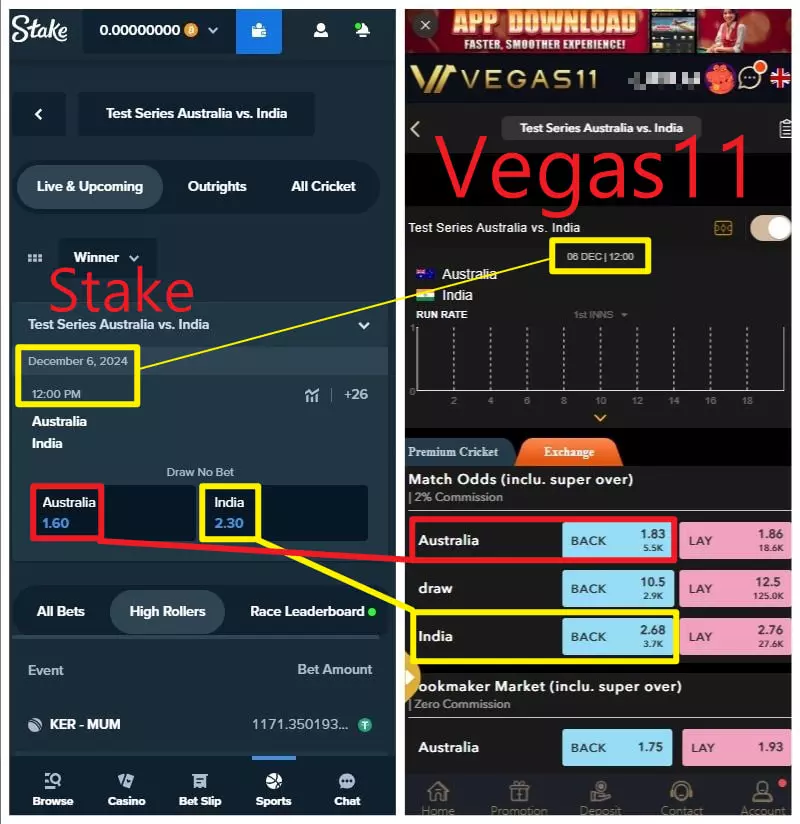
Stake Sports Odds
Stake’s cricket odds aren’t the most competitive. For the same cricket test match, Vegas11 offers better odds.
Real example: Australia vs India – If you bet on India to win, Stake gives you odds of 2.3, while Vegas11 offers a much better 2.68.
Read More: VEGAS11 Cricket Betting: 6 Platforms Compared – Bet from ₹20
Download Stake App for Android
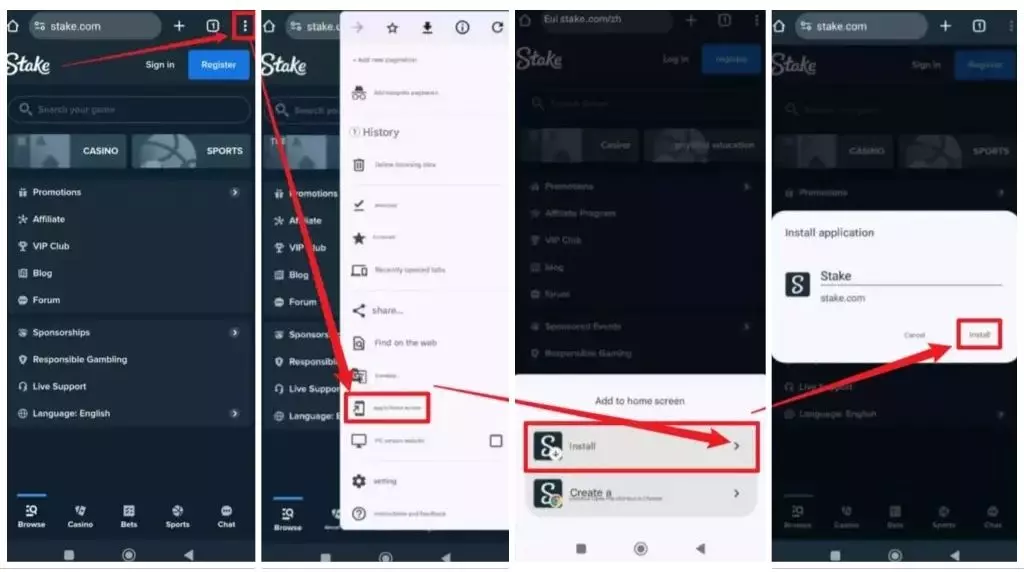
- Log in to stake.com and click on the ⋮ symbol in the top right corner of your browser.
- From the menu, select the "Add to Home Screen" option.
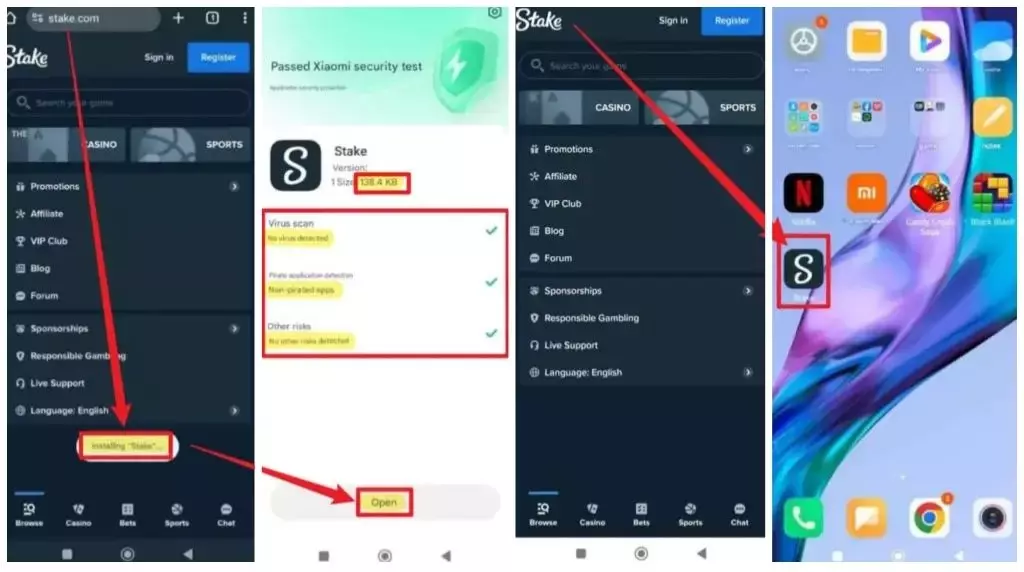
- Stake will be added to your phone’s home screen as a shortcut app.
- You can rename the Stake app icon on your home screen if desired, then click "Add".
Currently, the official Stake Casino app is not available for download on the Google Play Store (APK download file).
To install the app, open a browser on your Android phone, usually Google Chrome. In the browser's address bar, type https://stake.com/zh to visit the website and download the web app.
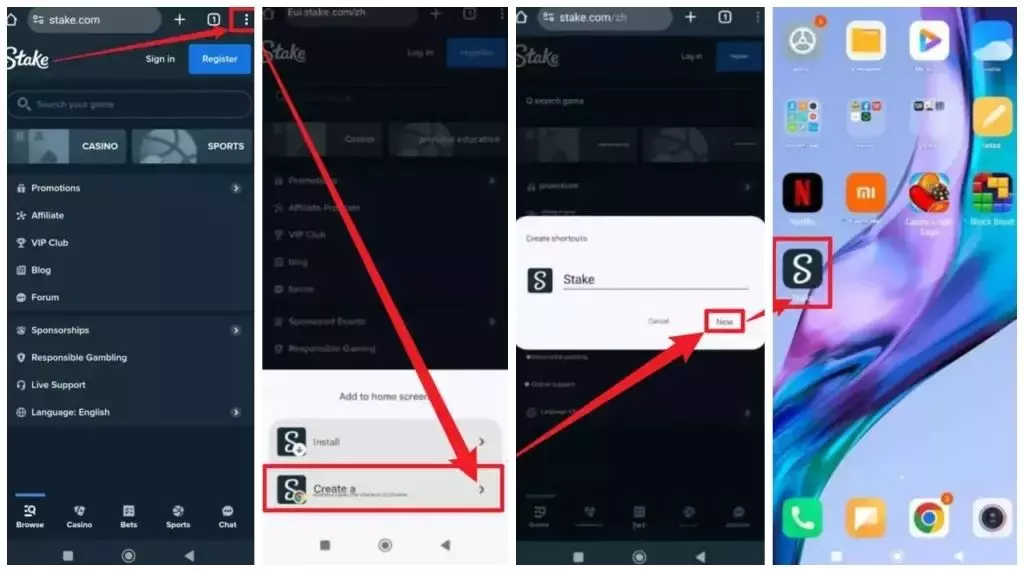
After following these steps, you'll find the Stake.com shortcut icon on your home screen. Simply tap the icon like any other app to quickly access the Stake Casino website.
Stake Deposit & Withdrawal Options
Stake offers 4 deposit methods: Credit Card, E-wallet, Mobile Payment, and Bank Transfer.
For withdrawals, there are 2 options: Cryptocurrency and Bank Transfer.
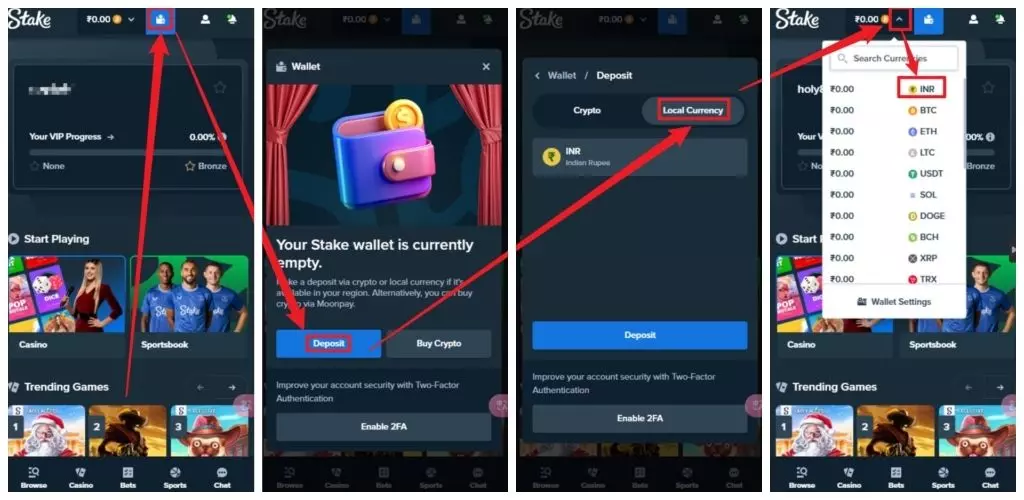
By default, Stake's wallet is set to Bitcoin (BTC). To deposit and withdraw using Indian Rupees (INR), you will need to change the wallet to INR.
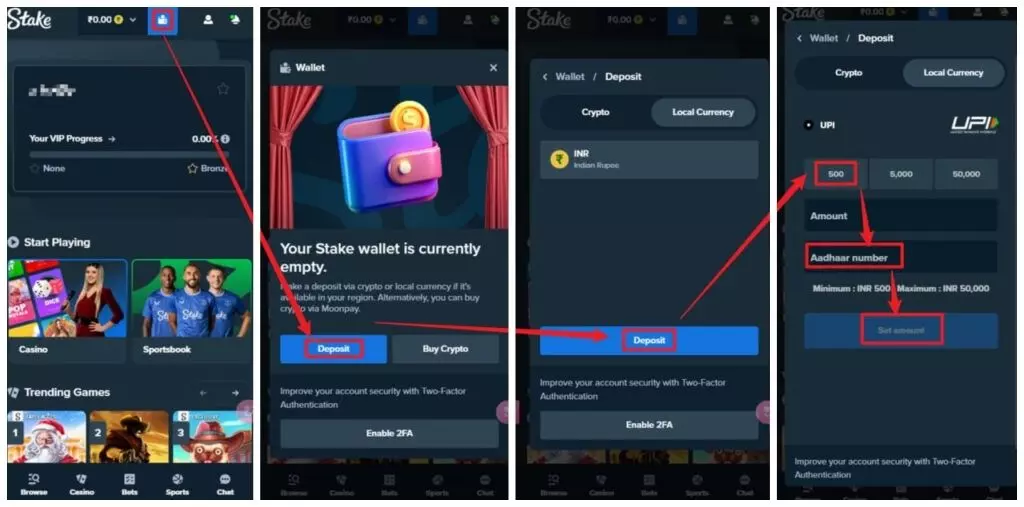
Here are the steps to deposit using UPI on Stake:
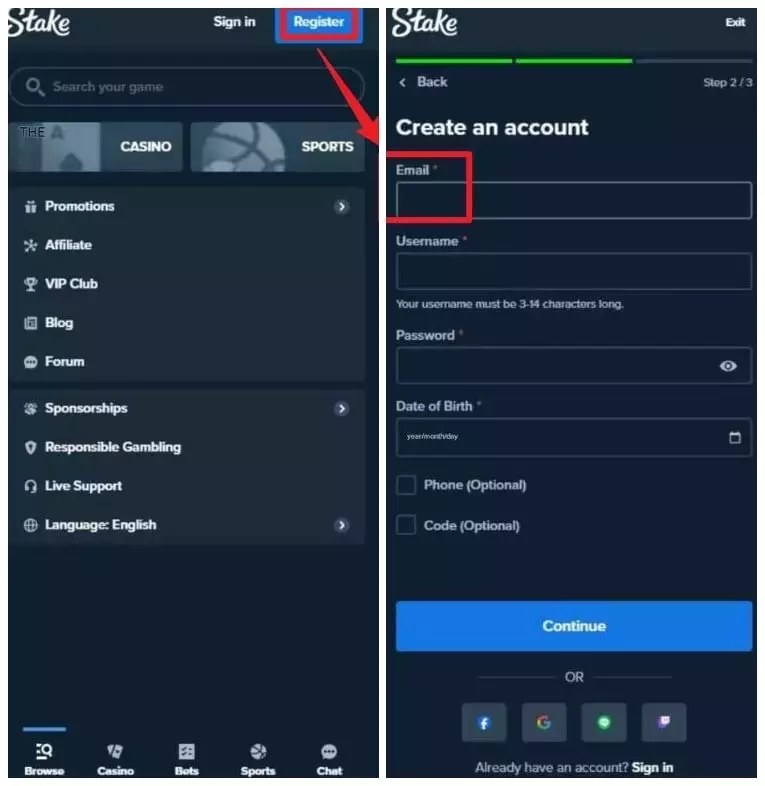
- Log in to your Stake.com account. If you don't have one, sign up and provide a valid email address.
- Click on the 'Wallet' button at the top of the page.
- Select 'Deposit'.
- Switch to 'Fiat currency' and choose 'INR'.
- Click 'Deposit'.
- From the dropdown menu, select 'INR'.
- Choose 'UPI' as the payment method and enter your Aadhaar Card number.
- Complete the transfer within 15 minutes.
Steps to withdraw INR on Stake:
Log in to your account.
- Go to the 'Wallet' and click 'Withdraw'.
- Select INR and enter the amount.
- Complete the transaction by clicking 'Withdraw'.
- The funds will be in your bank account within 3 business days.
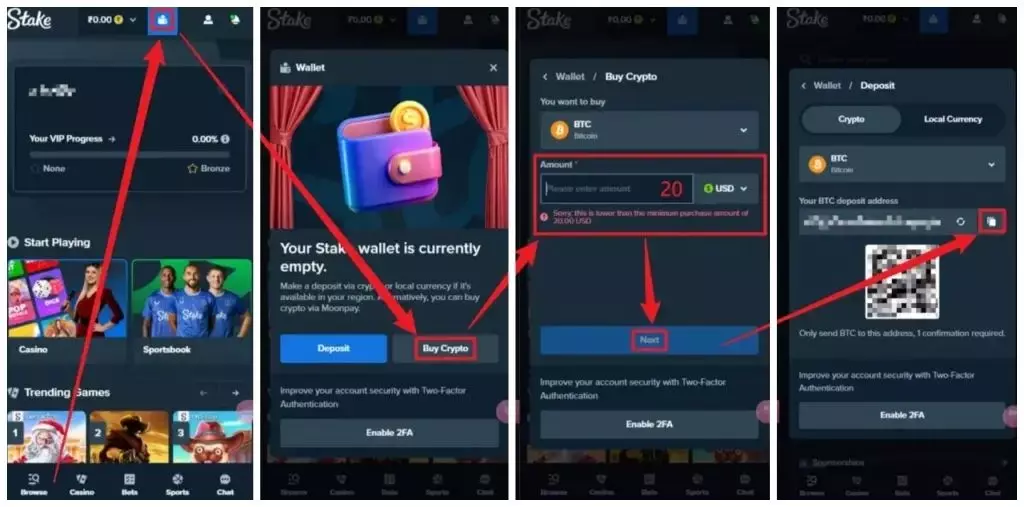
Cryptocurrency Deposit Steps:
- Log in to your Stake account or register if you don't have one.
- Go to the deposit page and select your preferred cryptocurrency (e.g., BTC, ETH).
- Copy your unique deposit address.
- Transfer the cryptocurrency from your wallet or platform to the provided address.
- Once confirmed, the funds will be credited to your account.
Using Cryptocurrency: Choose your preferred cryptocurrency, such as Bitcoin (BTC) or Ethereum (ETH). The system will provide you with a unique deposit address. Double-check the address and transfer amount before sending the cryptocurrency to ensure accuracy.
Cryptocurrency Withdrawal Steps:
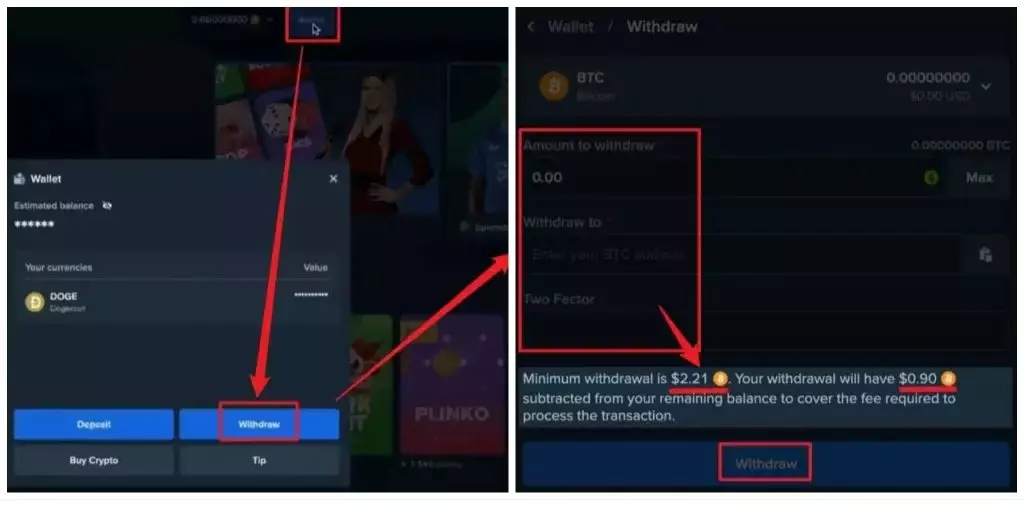
- Go to your wallet: Open your account wallet and choose the cryptocurrency to withdraw.
- Select the network: Pick the network for the withdrawal.
- Enter the address: Input the address to receive the funds.
- Specify amount: Enter the withdrawal amount.
- Complete verification: Confirm with 2FA, email verification, or OAuth if needed.
Withdrawals may have minimum limits and fees, which will be deducted from your balance. Withdrawal times can vary depending on the cryptocurrency network.
Stake.com Reviews
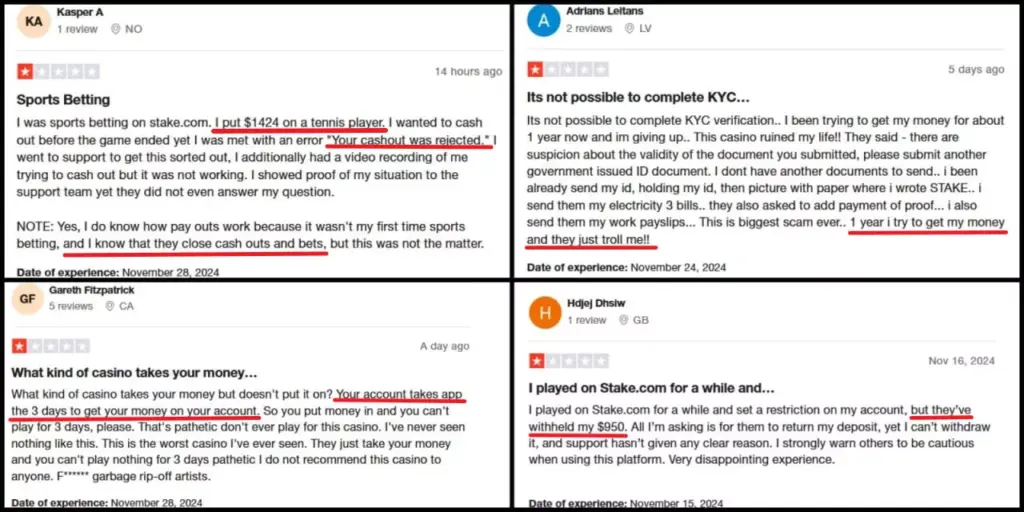
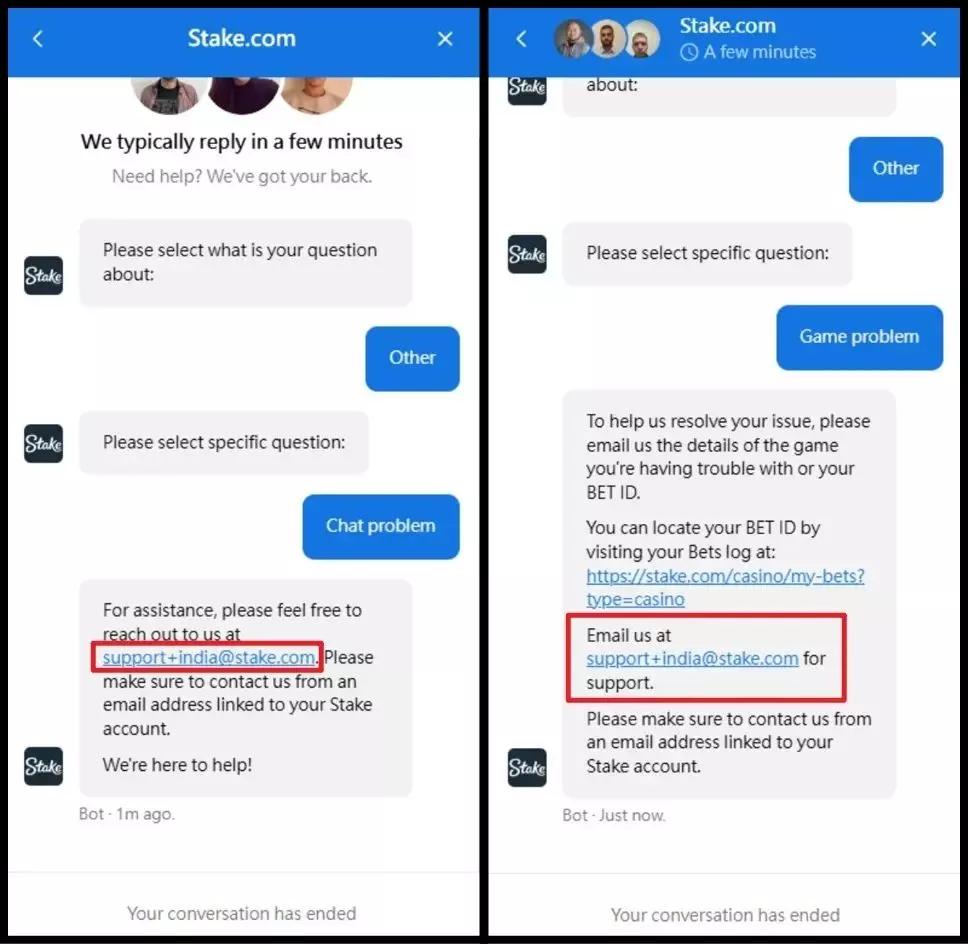
- No 24/7 Customer Support: Stake doesn't offer 24/7 support, meaning you’ll need to email them for help with any issues.
- Deposit Delays: Deposits can take up to three days to show in your account, leaving you unable to play games during this time.
- KYC Verification Problems: The KYC verification process can be difficult, with many users experiencing failed verifications. You may be required to resubmit documents multiple times.
If you're looking for fast deposits, quick withdrawals, and 24/7 customer support, we recommend Vegas11. This top-notch platform is tailored for Indian players.
With partnerships for promotions and billboards in major regions across India, Vegas11 proves itself as a legal and trusted gambling platform, making it a popular choice among online gambling enthusiasts.


| Feature | Vegas11 | Stake |
|---|---|---|
| Deposit Time | 1 minute | 15 minutes - 3 days |
| Withdrawal Time | 10 minutes | 1 day - 7 days |
| Verification Time | 3 minutes | 1 - 3 days |
| Sports Platform | Integrated with 8 platforms | In-house platform |
| Influencer Endorsement | Yes | Yes |
| Personal Data Security | Yes | No |
| Deposit Bonuses | Many | Few |
| 24/7 Customer Service | Live service with Indian languages (Hindi/Telugu/Kannada/Tamil) | Non-live service |
| Free Bonus | Available | Available |
Read More: Ans: Is online gambling legal in India? Fines and jail risk
Stake Casino FAQs
Is Stake Casino legal in India?
Legality depends on your state’s regulations. It’s always best to check local laws before playing to ensure compliance.
Is Stake Casino Safe in India?
There are concerns about its safety. Many users have reported issues such as not receiving their deposit even after three days, being unable to withdraw their winnings, and receiving unhelpful responses from customer support.
Does Stake have a mobile app?
Yes, Stake does offer a mobile app, but you’ll need to manually download the APK installation file.
However, be cautious with this method, as the APK file may not be from an official source, which can present security risks and potentially compromise your account.
How to download the Stake Casino APK installation file on an Android device?
- Download the APK from the official Stake website.
- On your Android device, enable the "Allow installation of apps from unknown sources" option.
- Be cautious during the installation process and ensure that the file you’re installing is secure.
How long does it take to withdraw from Stake? Are there any fees?
The withdrawal process takes up to 24 hours, but it may take 1-3 days to receive the funds, with some fees potentially applied.
What information is required for deposits and withdrawals on Stake?
- International Passport
- Driver’s License
- Voter EPIC Card
- PAN Card
- Aadhaar Card
How long does it take to receive a deposit on Stake?
Once the transfer is confirmed, your deposit will appear in your Stake account within 15 minutes.
How to Complete KYC Verification on Stake?
To complete your KYC verification, you need to provide one of the following documents: your passport, Aadhaar card (front and back), or driver’s license (front and back).
Send these documents to Stake customer support by email for review and approval.
How to Contact Stake Customer Support?
Recent reviews on Trustpilot from Indian players have noted that customer support has a passive approach to issue resolution, with some accounts being restricted without clear explanations.